> ## Documentation Index
> Fetch the complete documentation index at: https://easymate.ai/docs/llms.txt
> Use this file to discover all available pages before exploring further.
# Datasets
> The structured data tables behind your solutions, where the records your assistants and portal create are stored and shaped.
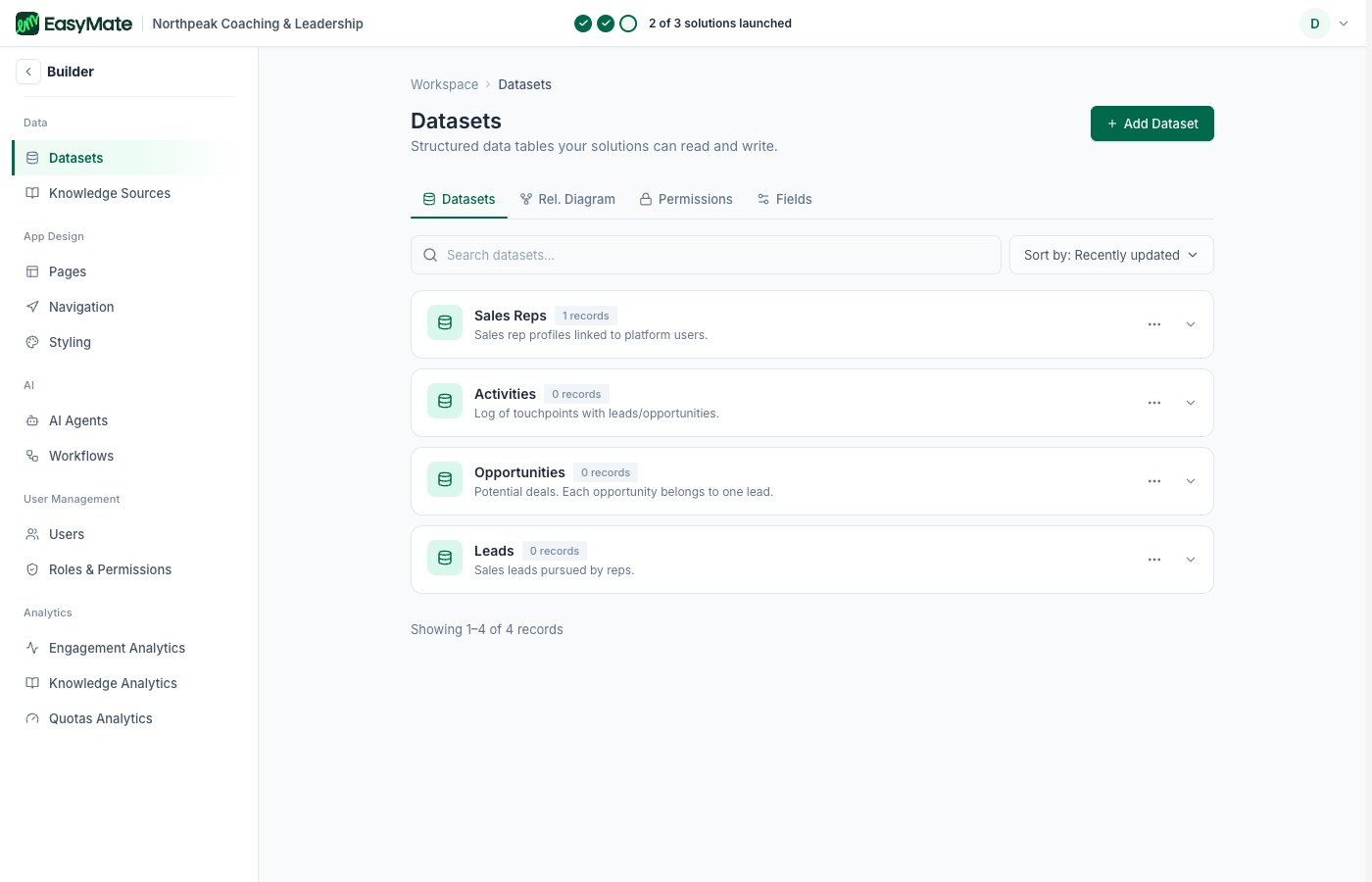
**Datasets** are the structured data tables your solutions read and write. When a lead comes in or a record is created, it's stored in a dataset. Your solutions manage these for you, but here you can look at the data directly and shape how it's structured.
For most businesses the [Leads Portal](/docs/solutions/leads-portal) is the friendlier way to work with your leads and customers. Open Datasets when you want to see or adjust the underlying tables.
 ## What you can do
* **See your tables:** each dataset is a table of records, like your leads, with all their fields.
* **Configure fields:** add or adjust a table's fields, including the field's name, type, and whether it's required or searchable.
* **Create a dataset:** build a new structured table for your app when you need to store something your solutions don't already cover.
These tables sit underneath your solutions, so changing a field here can affect what your Leads Portal and assistants show. Change one thing at a time.
## What you can do
* **See your tables:** each dataset is a table of records, like your leads, with all their fields.
* **Configure fields:** add or adjust a table's fields, including the field's name, type, and whether it's required or searchable.
* **Create a dataset:** build a new structured table for your app when you need to store something your solutions don't already cover.
These tables sit underneath your solutions, so changing a field here can affect what your Leads Portal and assistants show. Change one thing at a time.