> ## Documentation Index
> Fetch the complete documentation index at: https://easymate.ai/docs/llms.txt
> Use this file to discover all available pages before exploring further.
# App Info
> Your app's name, web address, and whether it's open to your end users.
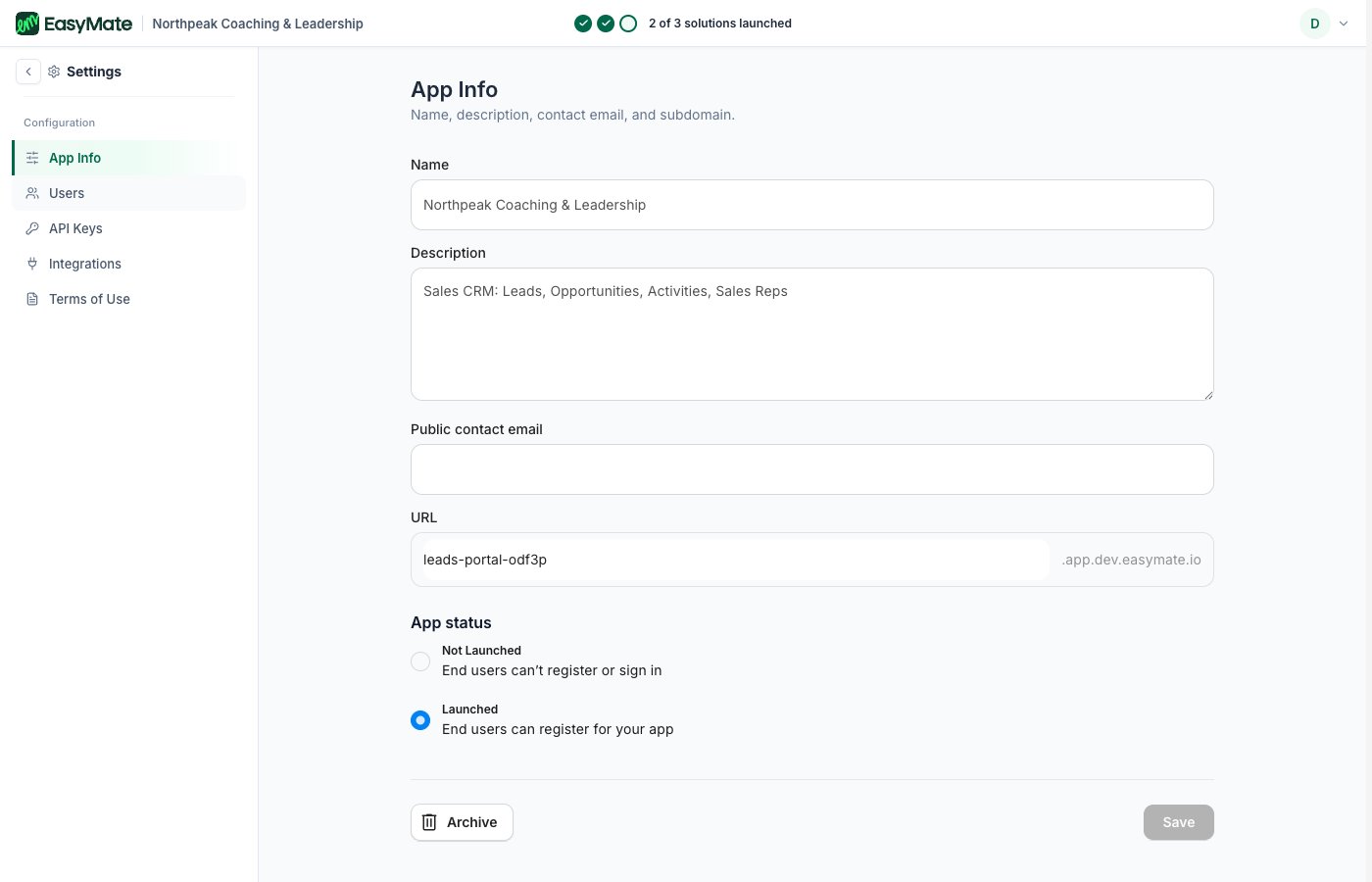
The **App Info** page under **Settings** holds the basics about your hosted app, like your Leads Portal: its name, its web address, and whether it's open to your end users.
## App details
* **Name:** what your app is called.
* **Description:** a short summary of what it's for.
* **Public contact email:** an address your end users can reach you at.
* **URL:** the web address where your app lives (your subdomain).
 ## App status
App status controls whether your end users can get in:
* **Not Launched:** end users can't register or sign in yet.
* **Launched:** end users can register for your app.
This is separate from setting up a solution. A solution can be ready, but your end users can only join once the app status is **Launched**.
## The rest of Settings
* **[API Keys](/docs/going-deeper/settings/api-keys):** for developers connecting other software.
* **[Integrations](/docs/going-deeper/settings/integrations):** connect external apps like Google Drive.
* **[Terms of Use](/docs/going-deeper/settings/terms-of-use):** review the terms you agreed to.
* **Users:** manage who can sign in. See [Roles & permissions](/docs/going-deeper/builder/roles-and-permissions).
## App status
App status controls whether your end users can get in:
* **Not Launched:** end users can't register or sign in yet.
* **Launched:** end users can register for your app.
This is separate from setting up a solution. A solution can be ready, but your end users can only join once the app status is **Launched**.
## The rest of Settings
* **[API Keys](/docs/going-deeper/settings/api-keys):** for developers connecting other software.
* **[Integrations](/docs/going-deeper/settings/integrations):** connect external apps like Google Drive.
* **[Terms of Use](/docs/going-deeper/settings/terms-of-use):** review the terms you agreed to.
* **Users:** manage who can sign in. See [Roles & permissions](/docs/going-deeper/builder/roles-and-permissions).